Reviewing AMI Set Configuration and Status
You can use an AMI Set's main overview page to review important information about your AMI Set's configuration and last-known status related to processing operations.
To navigate to an AMI Set, either first select the AMI set link from the main AMI Set List page, or switch to the 'View' tab when jumping from another tab (such as the 'Process' tab) for your AMI set.
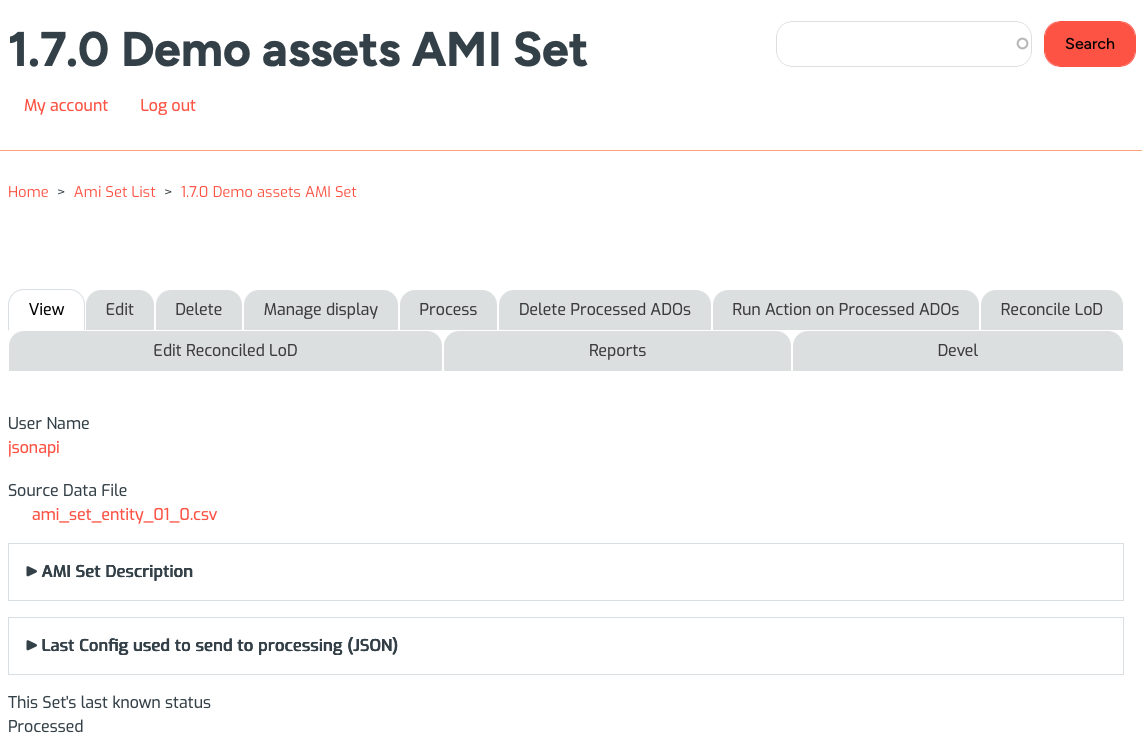
Every AMI Set page will include:
- User Name of the person (or jsonapi user) associated with creating the AMI Set
- Source Data File link for the associated CSV file used for the AMI Set digital objects and collections
- If you provided a Zip File for media files during your configuration setup, a link to the uploaded Zip File.
- If you ran AMI's Linked Data Reconciliation, the Processed Data CSV containing the terms and any mapped values associated with the LoD process outcomes.
- AMI Set Description dropdown
- Last Config used to send to processing (JSON) dropdown
- 'This Set's last known status' and corresponding processing operation note
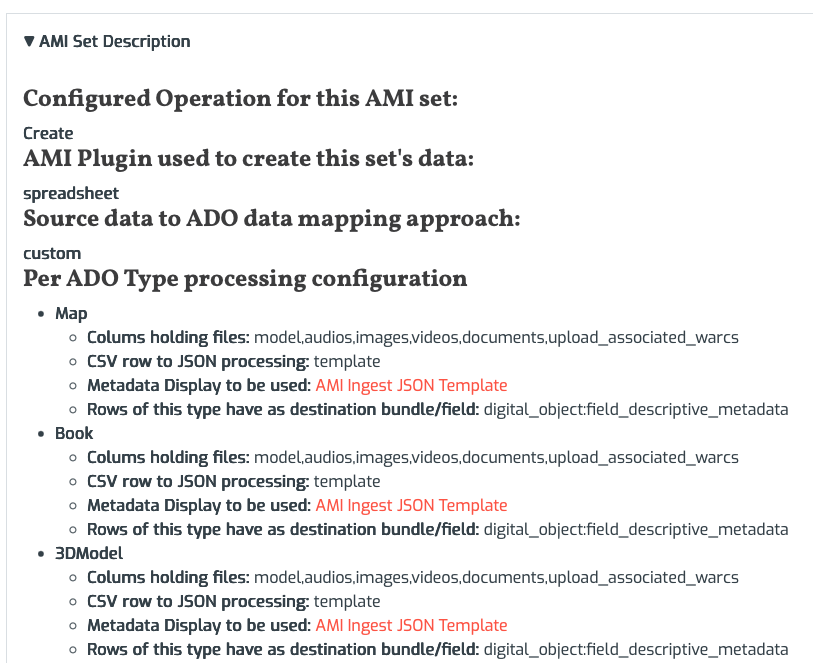
AMI Set Description
Expanding the AMI Set Description dropdown will show you:
- Configured Operation for this AMI set
- AMI Plugin used to create this set's data
- Source data to ADO data mapping approach
- Per ADO Type processing configuration (unless the 'Direct' processing approach was used)
Last Config used
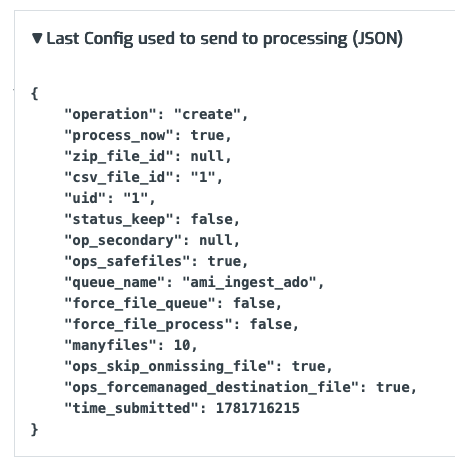
Expanding the Last Config used to send to processing (JSON) dropdown will show you a JSON version of the associated system file ids, operations, and statuses associated with your selected AMI Set.
Thank you for reading! Please contact us on our Archipelago Commons Google Group with any questions or feedback.
Return to the Archipelago Documentation main page.