Strawberry Field Media Formatter using the Mirador * IIIF Viewer plugin
This formatter displays media using the Mirador IIIF viewer.
Recommended prerequisite documentation
Please also see our 'Primer on Display Modes' and 'Strawberryfield Formatters' guides for more information about Display Modes and Formatters.
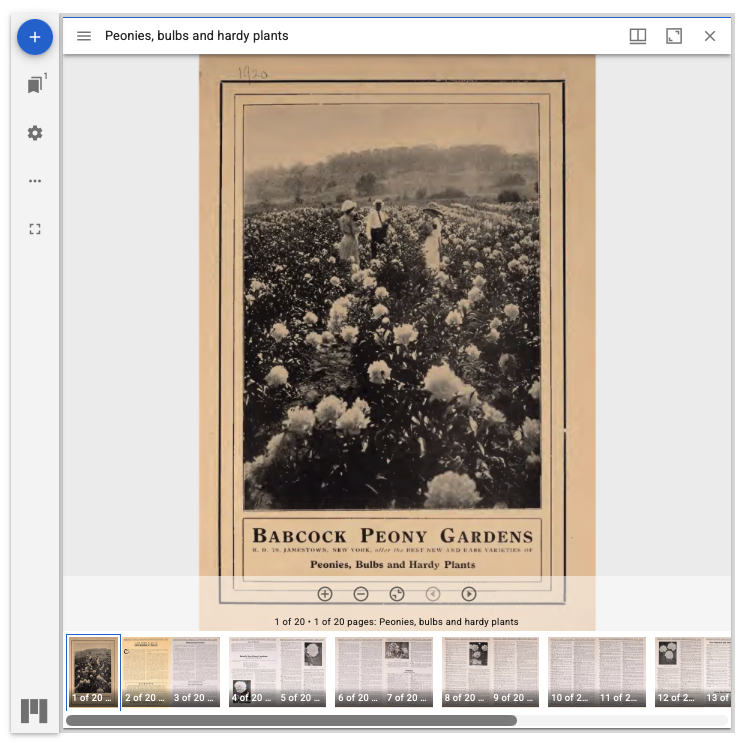
You can find the main Digital Object default example of the Strawberry Field Media Formatter using the Mirador * IIIF Viewer plugin settings configuration form at:
- admin/structure/types/manage/digital_object/display/digital_object_with_mirador_viewer
- Through the Manage menu > Structure > Content types > Digital Object > Manage display > Select 'Digital Object with Mirador Viewer'
Click on the small settings cogwheel on the right hand side of the listed formatter fields to review the formatter settings.
For this formatter, repository administrators are able to take advantage of the available adjustable settings provided through Mirador’s codebase and Archipelago’s specific integration to easily customize default display setups for Mirador. Please see related notes here, and a link to the related IIIF online meeting (2026) presentation recording here.
In addition to the Javascript UI/UX settings noted above, repository administrators have Mirador IIIF Viewer formatter configuration options for: defining Max Height + Width, sourcing of media files, embargo behavior preferences, and defining the source IIIF Twig templates and Exposed Metadata Endpoints.
Default configurations used
- IIIF Manifest generated from Node IDs fetched from JSON "isrelatedto" key.
- IIIF Manifest generated by the "iiifmanifest" Metadata Data Expose Endpoint (PRIMARY).
- IIIF Manifest URL fetched from JSON "iiifmanifest" key.
- Maximum size: 100% x 960 pixels
- Use IIIF Global Urls? Yes.
- IIIF Media Server base URI: http://localhost:8183/iiif/2
- IIIF Media Server Internal base URI: http://esmero-cantaloupe:8182/iiif/2
- Limited to the following file upload JSON Keys: Fetch from any available
- Embargo Alternate upload JSON Keys: Do not provide alternate files when embargoed
- Viewer for embargoed Objects is visible
Digital Object Collection/Compound Parent using Mirador
You can find two examples of Digital Object Collection/Compound Parent view modes using Mirador, each configured slightly differently than the main Digital Object example described above, to account for the needs of displaying collection or compound parent object data.
-
Digital Object Collection with Mirador Viewer
admin/structure/types/manage/digital_object_collection/display/digital_object_collection_with_mirador_viewer- Through the
Managemenu >Structure> Content types > Digital Object Collection > Manage display > Select 'Digital Object Collection with Mirador Viewer' - IIIF Manifest generated by the "iiifmanifest3collection" Metadata Data Expose Endpoint.
-
Digital Object Creative Work Series (Compound Parent) with Mirador Viewer
admin/structure/types/manage/digital_object_collection/display/digital_object_creative_work_series_with_mirador_viewer- Through the
Managemenu >Structure> Content types > Digital Object Collection > Manage display > Select 'Digital Object Creative Work Series with Mirador Viewer' - IIIF Manifest generated by the "iiifmanifest3cws" Metadata Data Expose Endpoint.
Thank you for reading! Please contact us on our Archipelago Commons Google Group with any questions or feedback.
Return to the Archipelago Documentation main page.